Mobile mod hub for Minecraft players who want quick customization
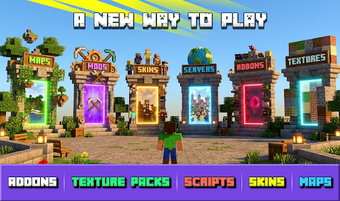
Modscape: Mods for Minecraft, from Scrn Team, is a mobile toolkit that helps Android players customize Minecraft Pocket Edition and Bedrock Edition. The app lets users browse, download, and install skins, texture packs, maps, and gameplay addons using a one-click installation flow that avoids manual file juggling. Organized categories, search, and frequent library updates speed discovery. It targets casual builders, younger players, and anyone who wants quick access to community-made content during everyday play.
What does Modscape do for mobile Minecraft players?
Modscape functions as a single hub that supplies community-made visual and gameplay content directly into the game. The app lists skins, texture packs, maps, and gameplay addons, and arranges them by theme for quick selection. For daily play, it removes manual file management by using a one-click install mechanism, so players can test new worlds or character looks between short sessions without leaving the Android environment.
How well does Modscape integrate with Minecraft on Android?
The app requires the official Minecraft Pocket Edition or Bedrock Edition installed on the device to apply content, so setup consists of installing both apps and granting the importer permission to write to game files. Category-based browsing and search reduce time spent locating compatible packs, but compatibility depends on each addon type and the target Minecraft edition, so users should match pack descriptions to their installed game version before importing.
Is Modscape approachable for younger or non-technical players?
The interface uses categorized browsing and a searchable library, which reduces onboarding friction for younger players and casual builders. One-click installation removes manual file handling, a point the developer highlights as lowering technical barriers. In practice, the simple theme filters and visible install buttons make testing new content fast; however, the app does not advertise dedicated accessibility modes, so users with specific needs should verify device accessibility settings before relying on the tool.
What should players consider about permissions and content trust?
Modscape hosts community-created addons and the library is frequently updated, keeping seasonal and fan-made content current. Because installation imports files into Minecraft on-device, the app requests permissions to modify game data during the one-tap process; users should review installer prompts before confirming. The tool does not replace the game's own safety checks, so checking pack descriptions and origin tags helps judge trustworthiness before adding new content.
To sum up, Modscape suits casual mobile modders who favor fast experimentation
Modscape is a practical option for Android players who want quick, plug-in customization during short play sessions; it excels at making community content reachable. A sensible precaution is to back up worlds before adding packs so custom content does not alter progress unexpectedly. To sum up, the tool suits players who prioritize rapid experimentation over manual setup complexity, especially weekend builders and casual testers.